
New Office IT Setup in Singapore: 2026 Checklist
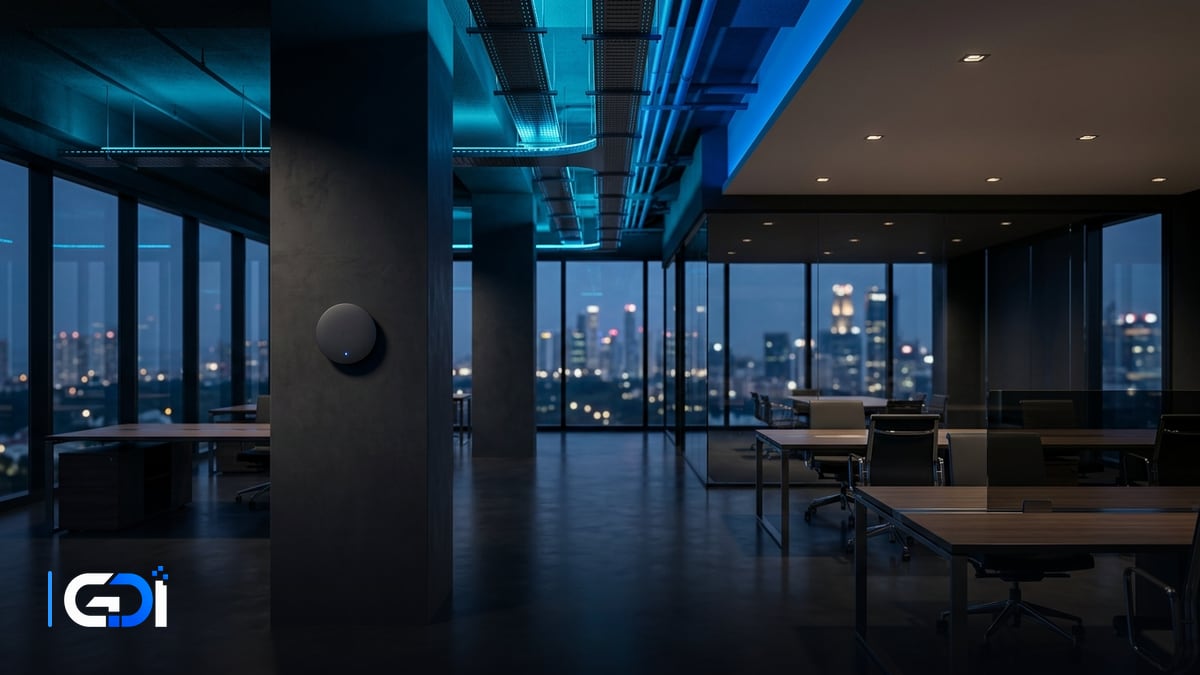
Setting up IT for a new 5-to-50 person office in Singapore requires ordering a business fibre line 6 to 8 weeks ahead, installing certified Cat6 or Cat6A cabling, deploying ceiling-mounted Wi-Fi access points with VLAN segmentation, and enforcing multi-factor authentication across all cloud accounts. Planning network infrastructure before renovation hand-over prevents costly post-move downtime.
Why can’t you use home broadband for a Singapore office?
When fitting out a new office, business founders occasionally question why commercial fibre broadband costs more than consumer gigabit plans. The fundamental reason combines contract law, physical telecommunications infrastructure, and operational reliability.
In Singapore, consumer broadband agreements explicitly restrict service to domestic residential properties. For example, under official M1 fibre broadband terms, the contract states clearly that “The Service is available for access and use at fibre-ready residential premises only”. Both Singtel General Consumer Terms and Conditions and StarHub General Terms & Conditions maintain strict separations between residential accounts and business operations, prohibiting commercial server hosting, unapproved resale, or commercial traffic over home connections.
Beyond legal terms, commercial properties in Singapore connect through commercial Main Distribution Frames (MDF) and telecommunications risers managed under NetLink Trust commercial quotas. Commercial lines provide dedicated symmetrical bandwidth, static public IP addresses for VPN gateways, and priority fault-restoration commitments in their service level agreements (check the exact restoration hours in the provider's SLA). If a home broadband connection fails in an office, consumer support queues can take 48 to 72 hours to dispatch an on-site technician.
According to published corporate relocation data from StarHub office relocation documentation, standard commercial broadband relocation is priced at S$1,199 inclusive of prevailing 9% GST, while relocation upon a contract recontract is S$872, representing an illustrative savings of S$327. For corporate connectivity, StarHub business internet solutions emphasise that enterprise-grade connectivity scales across multi-point corporate locations to preserve operational continuity.
| Service Category | Residential Broadband | Commercial Business Broadband |
|---|---|---|
| Legal Agreement | Restricted to residential premises only; business use prohibited | Commercial business contract registered to corporate UEN |
| Support SLA | Best-effort consumer queue (often 24 to 72 hour resolution) | Priority commercial helpdesk with 4-to-8 hour restoration SLA |
| IP Addressing | Dynamic IP; inbound business port filtering common | Fixed static IP blocks for secure site-to-site VPN & firewalls |
| Building Wiring | Residential riser termination point (FTP) | Commercial MDF room fibre patch via NetLink Trust commercial quota |
Structured cabling: should you choose Cat6 or Cat6A?
Structured cabling represents the permanent physical nervous system of your office. Once drywalls are erected, ceilings closed, and flooring sealed, replacing poorly laid cables costs multiples of the initial fit-out budget.
Commercial cabling in Singapore centers around Category 6 (Cat6) and Category 6A (Cat6A) unshielded (UTP) or shielded (STP) twisted-pair copper. According to testing standards documented by Fluke Networks field testing standards, standard Category 6 cabling is rated up to 250 MHz frequency. While Cat6 can transmit 10-Gigabit Ethernet (10GBASE-T), alien crosstalk between adjacent bundled cables limits reliable 10G operation to channel lengths between 37 and 55 meters of category 6 cabling.
In contrast, Category 6A cabling doubles transmission frequency to 500 MHz and incorporates tighter pair twists and enhanced insulation to eliminate alien crosstalk. This enables certified 10-Gigabit speeds across full 100-meter channel distances. Fluke Networks field instruments like the Fluke Networks DSX cable analyser certify Category 6A links across all parameters in 10 seconds.
Our engineering recommendation: For a typical 5 to 50 person office in Singapore:
- Workstation desks: Run dual Cat6 drops to every desk cluster (one primary computer link, one VoIP phone or auxiliary dock). Workstation horizontal cable runs in Singapore commercial units rarely exceed 30 meters, where Cat6 delivers reliable Gigabit performance cost-effectively.
- Ceiling Wi-Fi access points: Run shielded Cat6A drops to all wireless access point ceiling locations. Modern Wi-Fi 6 and Wi-Fi 7 access points exceed 2.5 Gbps and 5 Gbps uplink throughput, which benefit from Cat6A frequency headroom and Power over Ethernet (PoE+) heat dissipation.
- Server rack backbone & NAS: Run Cat6A or dedicated multi-mode OM4 fibre patch links between your core switch, network firewall, and Network Attached Storage (NAS) appliances.
Office Wi-Fi: coverage planning and network segmentation
Consumer mesh routers placed haphazardly around an office lead to dead spots, conference call drops when staff walk between meeting rooms, and serious security risks when visitors share the internal corporate network.
Commercial setups deploy centralized enterprise access points, such as ceiling-mounted Ubiquiti UniFi U6 Pro access points, which feature 6 spatial streams engineered to handle high-density commercial office environments with 250+ concurrent client devices. A typical open-plan Singapore office requires one enterprise access point for every 15 to 25 active users, with additional dedicated low-power APs inside enclosed glass meeting rooms to overcome signal reflection.
Proper network architecture requires virtual local area network (VLAN) segmentation at the managed switch and firewall layer:
- Corporate VLAN (Staff): WPA3-Enterprise or secure 802.1X authentication for company-managed laptops. Provides authenticated access to internal file servers, local printers, and ERP systems.
- Guest VLAN (Visitors): Client isolation enabled so guest devices cannot see each other or scan internal subnets. Bandwidth-throttled to preserve business operations.
- IoT & Facilities VLAN: Strictly isolated network for smart TVs, video conferencing bars, CCTV IP cameras, biometric door access controllers, and networked multi-function printers (MFPs). These devices rarely receive regular firmware updates and must never sit on the corporate data subnet.
The new office IT fit-out checklist
Use this structured checklist to ensure all physical and logical technology layers are accounted for before staff occupy the premises:
| Domain | Key Implementation Items | Standards & Best Practices |
|---|---|---|
| 1. Internet & ISP | Commercial fibre line, static IP block, Optical Network Terminal (ONT) | Order 6 to 8 weeks ahead; confirm landlord MDF riser access permits |
| 2. Rack & Power | Wall-mount or floor-standing 9U to 18U rack, PDU, line-interactive UPS | Dedicated 13A power socket; minimum 1500VA UPS battery backup for router/switch |
| 3. Structured Cabling | Cat6 to workstations, Cat6A to Wi-Fi APs, 24-port Cat6 patch panel | Labelled numbering on faceplates and patch panels; Fluke test certification |
| 4. Core Switching | 24-port or 48-port Gigabit managed PoE+ switch (802.3at) | PoE budget sized for all APs, VoIP phones, and IP cameras; VLAN tagging |
| 5. Security Gateway | Hardware firewall / security router with stateful packet inspection | Dual-WAN failover (4G/5G backup line), VPN remote access, DHCP reservations |
| 6. Wireless Access | Ceiling-mounted enterprise Wi-Fi 6 access points | Coverage planning avoiding concrete pillars; isolated Guest and Staff SSIDs |
| 7. Identity & MFA | Microsoft Entra ID or Google Workspace corporate directory | Mandatory multi-factor authentication (MFA) on all user accounts from day one |
| 8. Backup & Storage | On-premise NAS (Synology/QNAP) + encrypted off-site cloud replication | 3-2-1 backup strategy aligning with statutory PDPA protection obligations |
| 9. Office Peripherals | Networked Multi-Function Printer (MFP), video conference room bar | Static IP assignment, secure print PIN release, separate IoT VLAN |
| 10. Handover Docs | Physical rack diagram, patch schedule, IP allocation sheet, admin vault | All administrative credentials documented in an encrypted corporate password vault |
Week-by-week office IT move-in timeline
Coordinating office IT relocation requires aligning with landlord hand-over, renovation contractors, and telecommunications carriers. Following this 8-week timeline prevents last-minute panics:
| Timeline | Milestone & Core Activities | Responsible Parties |
|---|---|---|
| Week 8 Before Move | Site survey of new premises; check building MDF room and riser status; submit commercial fibre broadband application with chosen ISP. | IT Partner & Business Owner |
| Week 6 Before Move | Finalize seating layout with interior designer; map network data points, floor boxes, and ceiling AP positions; finalize hardware bill of materials. | Interior Designer, Cabling Contractor, IT Partner |
| Week 4 Before Move | Cabling contractors pull horizontal Cat6/6A cables through conduits before ceiling partition close-up; order switches, router, and access points. | Cabling Contractor & IT Partner |
| Week 2 Before Move | NetLink Trust turns on fibre circuit; ISP delivers and tests Optical Network Router; terminate patch panels and mount equipment into server rack. | ISP, NetLink Trust, IT Partner |
| Week 1 Before Move | Configure firewall, VLANs, and Wi-Fi networks; complete Fluke cable certification; deploy shared printer and meeting room video conferencing. | IT Partner |
| Move Weekend (T-2 Days) | Relocate staff desktop monitors, docking stations, and local servers; connect patch cables from desks to wall faceplates; test end-to-end connectivity. | IT Partner & Moving Team |
| Day 1 Go-Live | On-site engineer floor support during morning arrival; resolve user peripheral connection issues; verify email, cloud access, and print queues. | IT Partner On-Site Team |
Accounts, identity, and security hygiene from day one
Physical infrastructure is only half the equation. Moving into a new office provides the perfect milestone to establish clean identity and cybersecurity standards before bad habits take root.
According to official documentation for Microsoft Entra multi-factor authentication, multi-factor authentication requires two or more independent authentication methods to verify user identity. Enforcing mandatory MFA across all corporate mailboxes and SaaS platforms prevents account compromise from day one.
Similarly, under the statutory data protection framework established by the Personal Data Protection Commission (PDPC), organisations in Singapore must implement reasonable security arrangements to protect personal data under Section 24 of the PDPA. Furthermore, guidance from the Cyber Security Agency of Singapore (CSA) Cyber Essentials standard highlights that baseline cyber hygiene—such as regular software patching, endpoint protection, and verified backup routines—provides an accessible way for enterprises to secure operations without excessive complexity.
For local and cloud storage, Microsoft explicitly notes in Section 6b of the Microsoft Services Agreement that customers should regularly back up their content and data. Implementing a hybrid 3-2-1 backup architecture using local network storage coupled with off-site cloud storage through platforms like Synology C2 cloud storage ensures that corporate data remains resilient against ransomware or accidental deletion.
How GDI does it
At GDI Solutions, we approach new office IT fit-outs as an integrated engineering project. We do not operate as physical wire-pulling labourers; instead, we serve as your accountable technology architects and project managers:
- Architectural Discovery & Topology Design: We review your floor plans with your interior designer, calculate data point density, design network subnets and VLAN schemas, and specify the exact hardware required.
- Cabling Contractor Coordination: We prepare the structured cabling scope, coordinate licensed cabling contractors to pull and terminate Cat6 and Cat6A cables to standard, and verify all lines with patch-panel test certification.
- Hardware Provisioning & Rack Assembly: We supply, mount, and configure your firewall, PoE managed switches, UPS power backup, and ceiling access points, ensuring neat patch cable dressing and clear label tags.
- Cloud Identity & Security Baseline: We configure your Microsoft 365 or Google Workspace environment, enforce conditional access and MFA policies, configure network printer queues, and isolate guest and IoT networks.
- Turnkey Documentation & Day-1 Floor Support: On move-in day, our engineers provide on-site floor support to ensure every staff member connects immediately. We hand over an executive documentation binder containing rack diagrams, port schedules, IP addresses, and encrypted credential records.
To explore how our team coordinates network fit-outs and ongoing support, review our IT infrastructure & networking services and our managed IT support retainers. You can also benchmark anticipated support costs using our software cost estimator tool, read our guide to managed IT services pricing in Singapore, or consult our handbook on backup & disaster recovery for Singapore SMEs.
Government grants: the 2026 EDGE Grant transition
Business owners frequently ask whether government funding can offset new office IT fit-out costs. It is vital to understand recent statutory grant restructuring in Singapore.
On 29 September 2026, legacy enterprise grant schemes including the Productivity Solutions Grant (PSG), Enterprise Development Grant (EDG), and Market Readiness Assistance (MRA) were officially closed to new applications. On 30 September 2026, Enterprise Singapore launched the unified EDGE Grant.
According to official guidelines in the Enterprise Singapore EDGE Grant FAQ, eligible Singapore SMEs receive up to 50% baseline funding support (30% for non-SMEs), with up to 70% support reserved strictly for sustainability and internationalisation projects. The grant is capped at S$100,000 per company per year across all activities, of which up to S$30,000 can be used for digital solutions and enterprise systems.
Companies must apply on the Business Grants Portal before starting work or paying any deposit; they may proceed after submitting, but carry the risk until the grant is approved. GDI Solutions is not a pre-approved PSG equipment reseller and does not sell pre-packaged grant bundles; we quote engineering, architecture, and deployment transparently as an independent IT studio. All statutory taxes in Singapore follow the prevailing IRAS GST rate of 9%.
Plan your office IT setup with GDI Solutions
A smooth office move comes down to early planning and unambiguous vendor accountability. If your company is moving into a new office or expanding premises across Singapore, speak with an experienced systems engineer before renovation walls go up.
Contact our team via our project inquiry desk to schedule a site survey, discuss your workstation layout, and obtain an itemised infrastructure proposal.
Frequently asked questions
How many weeks before office move-in must we order our internet circuit?
In Singapore, order your commercial fibre broadband at least 6 to 8 weeks before your target move-in date. Commercial fibre activation depends on NetLink Trust building riser capacity, landlord telecommunications room access approvals, and building management permits.
Can we install a residential fibre broadband plan in a commercial office?
No. Singapore telecommunications providers legally restrict consumer fibre to residential premises. M1 fibre broadband terms state that service is available for access and use at fibre-ready residential premises only, while Singtel and StarHub maintain separate consumer terms that exclude commercial use and server operations. Commercial premises require business broadband with defined service level agreements.
Should our new office install Cat6 or Cat6A cabling?
For runs under 35 meters in small commercial units, Cat6 handles Gigabit connectivity reliably. However, for 10-Gigabit Ethernet (10GBASE-T) across full 100-meter channel lengths and high-density ceiling access points, Fluke Networks testing standards confirm Cat6A is required. Cat6 cable is susceptible to alien crosstalk and is restricted to short runs between 37 and 55 meters for 10-Gigabit speeds.
Does GDI Solutions physically pull network cables through walls and ceilings?
No. GDI Solutions designs the network topology, specifies data points and rack layouts, and coordinates licensed cabling contractors who perform physical conduit installation and termination. We supply and configure the managed switches, firewalls, Wi-Fi access points, and cloud systems, followed by end-to-end cable testing and documentation.
Can new office IT setup be claimed under government grants in 2026?
Legacy EDG, PSG, and MRA grant schemes closed to new applications on 29 September 2026. On 30 September 2026, Enterprise Singapore launched the unified EDGE Grant, which provides funding support of up to 50% for SMEs (and up to 70% for internationalisation or sustainability activities) capped at S$100,000 per company per year. Within that cap, up to S$30,000 can be used for digital solutions and enterprise systems.
Want a fixed quote for your project?
Describe what you need built. GDI replies in writing, usually within one business day, and a fixed price follows a short scoping call.
Start a project brief